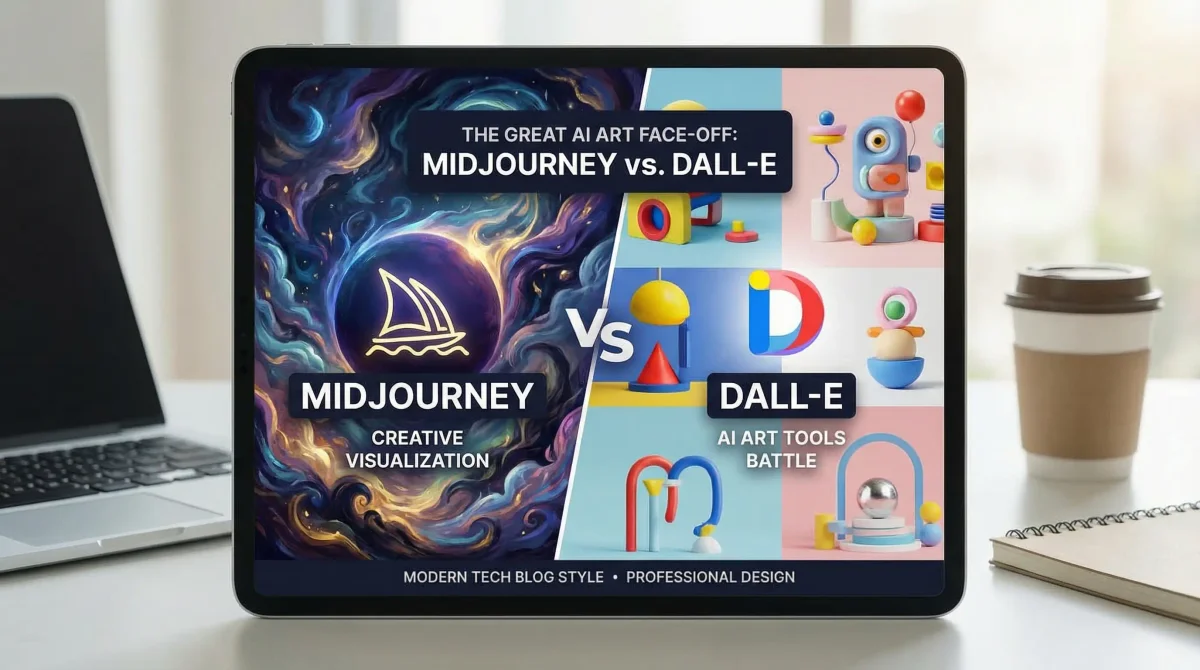
Midjourney v7 vs DALL-E 4: Which AI Image Generator Wins in 2026?
I’ve spent the last two months using Midjourney v7 and DALL-E 4 for actual client work—product mockups, marketing visuals, concept art. Both tools have gotten dramatically better, but they excel at different things. The “best” choice depends entirely on what you’re creating.
Where Things Stand in 2026
Midjourney v7 launched in May 2025 and brought major improvements to prompt adherence and editing capabilities. DALL-E 4, integrated directly into ChatGPT, arrived in March 2025 with better text rendering and conversational generation.
The gap between them has narrowed, but the differences still matter. One excels at artistic interpretation, the other at precise execution.
Midjourney v7: The Artist’s Tool
What It Does Well
Midjourney v7 produces images with a distinct aesthetic quality. Even with simple prompts, outputs have composition, lighting, and color choices that feel intentional. It interprets your prompt creatively rather than literally.
I used it last week for a sci-fi book cover. My prompt was basic—“futuristic city at sunset, neon lights”—and it generated something with atmospheric depth I didn’t explicitly request. The AI made artistic decisions that improved the result.
The Features That Matter
Editor Mode: The built-in editor lets you modify specific regions without regenerating the entire image. I can change a character’s clothing, adjust background elements, or fix small details. This saves hours compared to external editing tools.
Style Consistency: The style reference feature maintains visual consistency across multiple images. I created a series of product shots with identical lighting and color grading by referencing the first generation.
Prompt Precision: V7 handles complex prompts better than previous versions. Multi-part descriptions with specific details about composition, lighting, and style actually work now. Earlier versions would ignore half the prompt.
Weird Mode: The --weird parameter adds controlled randomness. I use it for concept exploration when I want unexpected variations rather than safe, predictable outputs.
Where It Falls Short
The Discord interface is clunky. Managing generations across multiple channels, tracking prompts, and organizing outputs requires external tools. There’s no native project management.
Text rendering is still problematic. Simple words work sometimes, but anything complex comes out garbled. I avoid text-heavy designs in Midjourney.
No API access for most users. If you want to integrate Midjourney into automated workflows, you’re out of luck unless you’re on an enterprise plan.
The subscription model is expensive. $30/month for basic, $60/month for standard, $120/month for pro. No pay-per-image option.
Pricing
- Basic: $10/month (limited generations)
- Standard: $30/month (~15 hours of GPU time)
- Pro: $60/month (~30 hours of GPU time)
- Mega: $120/month (~60 hours of GPU time)
All plans include commercial usage rights.
When to Use It
Midjourney works when you need artistic interpretation. Concept art, creative exploration, stylized visuals. If you want the AI to make aesthetic decisions and surprise you with creative choices, Midjourney delivers.
DALL-E 4: The Precision Tool
What Makes It Different
DALL-E 4 excels at following instructions precisely. If you specify exact details—object placement, colors, composition—it delivers what you asked for. Less artistic interpretation, more literal execution.
I asked both tools to generate “a red coffee mug on the left side of a wooden table, with a laptop on the right side, morning sunlight from the window.” Midjourney gave me something artistic but rearranged the composition. DALL-E 4 put everything exactly where I specified.
The Features That Work
ChatGPT Integration: The conversational interface is genuinely useful. I can iterate on images through natural dialogue. “Make the lighting warmer,” “move the subject left,” “add more detail to the background”—it understands context from previous messages.
Text Rendering: DALL-E 4 handles text better than any other image generator. Product mockups with labels, posters with headlines, UI designs with button text—it actually works. Not perfect, but usable.
Inpainting and Outpainting: The editing tools are straightforward. Select a region, describe what you want changed, and it regenerates just that area. Outpainting extends images beyond their original borders while maintaining style consistency.
API Access: Full API access for all paid users. I built a workflow that generates product variations automatically. This integration capability is huge for developers.
The Limitations
The aesthetic quality is more generic. DALL-E 4 produces clean, professional images, but they lack the artistic flair Midjourney brings. Everything looks polished but safe.
Style consistency across multiple generations is harder to maintain. Even with detailed prompts, variations in lighting, color, and composition appear between images in a series.
The safety filters are aggressive. Legitimate creative requests sometimes get blocked. I’ve had portrait requests rejected because the system thought they might be generating real people.
Pricing
- Free tier: Limited generations with GPT-4o
- ChatGPT Plus: $20/month (includes DALL-E 4)
- API: Pay per image (~$0.04-0.08 per generation depending on resolution)
When to Use It
DALL-E 4 works when you need precise control. Product mockups, UI designs, marketing materials with specific requirements. If you know exactly what you want and need the AI to execute your vision literally, DALL-E 4 delivers.
Head-to-Head: Real Project Tests
I ran identical prompts through both tools across different use cases:
Test 1: Product Photography
Prompt: “Professional product photo of a minimalist watch on a marble surface, soft studio lighting, shallow depth of field, commercial photography style”
Midjourney v7: Produced a beautifully composed image with dramatic lighting and artistic shadows. The watch looked premium, but the composition was more editorial than commercial.
DALL-E 4: Generated a clean, professional product shot that looked like standard e-commerce photography. Less artistic, but more usable for actual product listings.
Winner: Depends on use case. Midjourney for marketing campaigns, DALL-E 4 for product catalogs.
Test 2: Character Concept Art
Prompt: “Cyberpunk character design, female hacker, neon purple hair, tech implants, dark urban background, detailed digital art”
Midjourney v7: Created a striking character with strong artistic direction. The composition, color palette, and details felt cohesive and intentional.
DALL-E 4: Produced a technically accurate character that matched the description but lacked visual impact. All the elements were there, but the result felt flat.
Winner: Midjourney by a significant margin.
Test 3: UI Mockup with Text
Prompt: “Modern mobile app login screen, clean design, ‘Welcome Back’ as headline, email and password fields, blue gradient background”
Midjourney v7: The layout was beautiful, but the text was unreadable. “Welcome Back” came out as random characters.
DALL-E 4: Produced a usable mockup with legible text. The design was more generic, but I could actually use it as a reference.
Winner: DALL-E 4. Text rendering matters for UI work.
Test 4: Landscape Photography
Prompt: “Dramatic mountain landscape at golden hour, misty valleys, sharp peaks, professional landscape photography, wide angle”
Midjourney v7: Stunning result with atmospheric depth and dramatic lighting. The composition felt like a professional photographer made deliberate choices.
DALL-E 4: Clean, realistic landscape that looked like a good photo but lacked the emotional impact of Midjourney’s output.
Winner: Midjourney for artistic work, DALL-E 4 for realistic reference images.
Feature Comparison
| Feature | Midjourney v7 | DALL-E 4 |
|---|---|---|
| Artistic Quality | Excellent | Good |
| Prompt Adherence | Good | Excellent |
| Text Rendering | Poor | Good |
| Editing Tools | Excellent | Good |
| Style Consistency | Excellent | Fair |
| API Access | Limited | Full |
| Interface | Discord | ChatGPT/API |
| Speed | Fast | Medium |
| Resolution | Up to 2048x2048 | Up to 1792x1792 |
| Commercial Rights | Included | Included |
Workflow Differences
Midjourney Workflow
- Join Discord server
- Use
/imaginecommand with prompt - Wait for 4 variations
- Upscale preferred option
- Use editor for refinements
- Download final image
Pros: Fast iteration, excellent for exploration Cons: Discord management is tedious
DALL-E 4 Workflow
- Open ChatGPT
- Describe what you want conversationally
- Iterate through dialogue
- Use editing tools for adjustments
- Download or continue refining
Pros: Natural interaction, easy iteration Cons: Slower for bulk generation
Prompt Engineering Tips
For Midjourney v7
Be descriptive about style: “cinematic lighting, shallow depth of field, professional photography” produces better results than generic descriptions.
Use style references: --sref [URL] maintains consistency across generations.
Leverage parameters: --ar 16:9 for aspect ratio, --stylize 500 for more artistic interpretation, --weird 250 for creative variations.
Avoid text: Don’t include text in prompts unless absolutely necessary.
For DALL-E 4
Be specific about placement: “object on the left, subject in center, background on right” works better than vague spatial descriptions.
Iterate conversationally: Start simple, then refine through follow-up messages rather than crafting perfect prompts upfront.
Request specific styles: “in the style of [artist/movement]” or “professional [type] photography” guides aesthetic choices.
Include text explicitly: “with the text ‘Welcome’ in bold letters at the top” actually works.
Which One Should You Choose?
Choose Midjourney v7 if:
- You need artistic, visually striking images
- Style consistency across a series matters
- You’re doing concept art, creative exploration, or editorial work
- You want the AI to make aesthetic decisions
- Text rendering isn’t critical
Choose DALL-E 4 if:
- You need precise control over composition
- Text rendering is important (UI mockups, posters, product labels)
- You want conversational iteration
- API integration is required
- You prefer a simpler interface
Use Both if:
- You’re a professional creative who needs different tools for different projects
- Budget allows for both subscriptions ($20 + $30 = $50/month)
- You want Midjourney for creative work and DALL-E for technical mockups
The Multi-Tool Approach
Most professional designers I know use both strategically:
- Midjourney for initial concept exploration and artistic direction
- DALL-E 4 for precise mockups and text-heavy designs
- Midjourney for final polished outputs when aesthetics matter
- DALL-E 4 for rapid iteration and client revisions
What’s Coming
Midjourney is working on v8, which promises better text rendering and improved editor features. The company mentioned potential API access in their January 2026 office hours.
OpenAI continues improving DALL-E 4’s artistic capabilities. Recent updates have made outputs less generic, though they still trail Midjourney’s aesthetic quality.
Both tools are evolving rapidly. The gap in capabilities is narrowing, but the fundamental difference remains: Midjourney interprets creatively, DALL-E executes precisely.
Bottom Line
After two months of daily use:
Midjourney v7 is the better tool for creative work where artistic quality matters. The outputs have visual impact that DALL-E can’t match.
DALL-E 4 is the better tool for precise, controlled generation where you know exactly what you need. The conversational interface and text rendering are genuinely useful.
Neither is universally “better.” They’re optimized for different use cases. The right choice depends on your specific project requirements.
Try both. Most creative professionals end up using both for different purposes. The $50/month combined cost is worth it if you’re doing serious image generation work.
The question isn’t which is better—it’s which one fits your current project.